 Timeline
Ask ChatGPT or Claude about your location history
Your options for asking ChatGPT or Claude where you’ve been, from a Google Timeline upload to a live connection, and what went wrong when we tested the upload.

Can ChatGPT or Claude see where you've been?
Not unless you give them your history. They may guess your city from your internet connection, but they have no record of the places you've been. You can upload an export of your history to a chat, or connect a source they can look things up in.
Your options
| Option | Good | Watch out |
|---|---|---|
| Upload your Google Timeline export | Free on every plan. Most people's history is already there | No place names, only coordinates. Years of history is too much for Claude. Stops on the day you export |
| Upload an export from another app | Arc, Dawarich and Timeline all export your history | The same size limits. How much it names depends on the app |
| Connect your history with MCP | Always up to date. The assistant fetches only what it needs | Needs an app or server that offers it. ChatGPT needs a paid plan |
| Apple's own location history | Built into every iPhone | Can't be exported, so there's nothing to share |


Google Timeline is where most people's history lives, so that's what we tested. Short version: the assistants are good at dates and times, and they don't know the names of your places.
What happened when we tested it
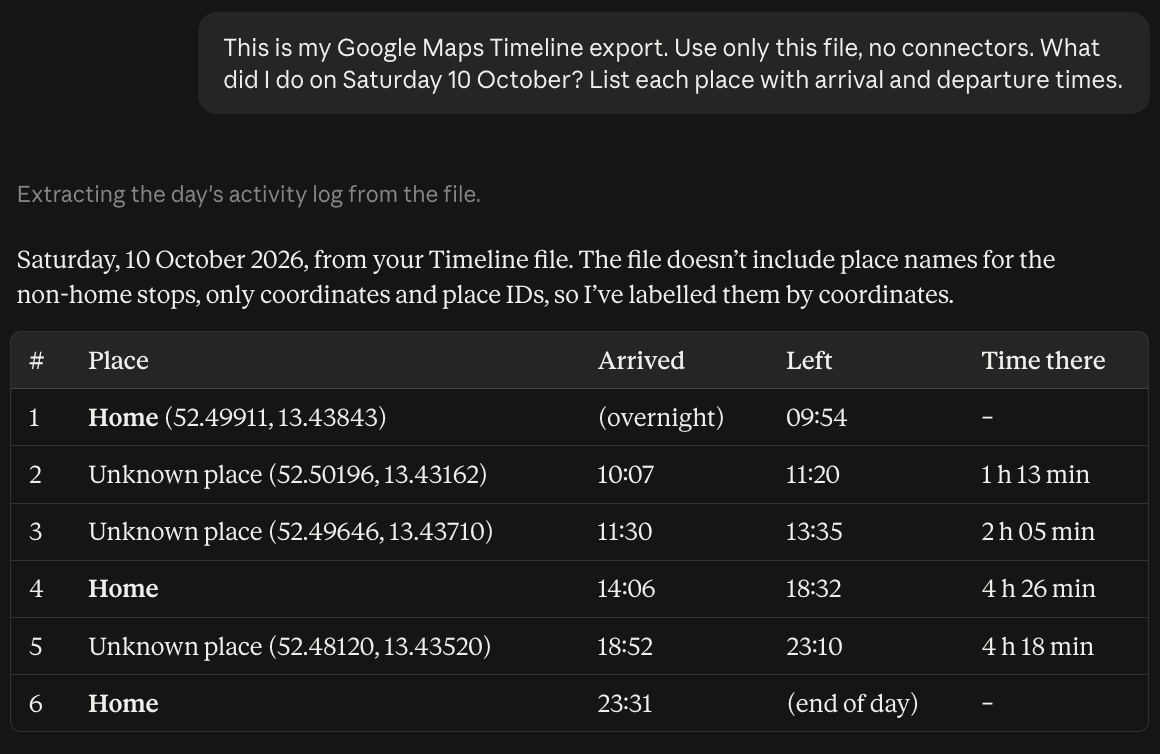
We made a Google Timeline export for a made-up person in Berlin, three months long, and asked ChatGPT and Claude the same five questions.
| Question | ChatGPT | Claude |
|---|---|---|
| What did I do on Saturday 10 October? | Right | Right |
| When was I last at Markthalle Neun? | Right | Right |
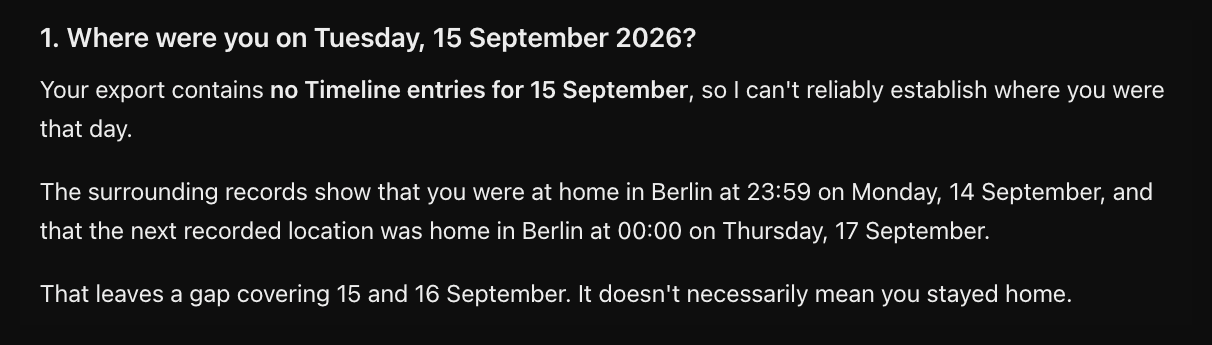
| Where was I on 15 September? (no data) | Said there's no data | Said there's no data |
| How long was I at work in the week of 12 October? | Right, 40 h 11 min | Right, 40 h 11 min |
| Where did I go on the weekend of 5 September? | Right, Leipzig | Right, Leipzig |
Both handled the missing day honestly instead of guessing.
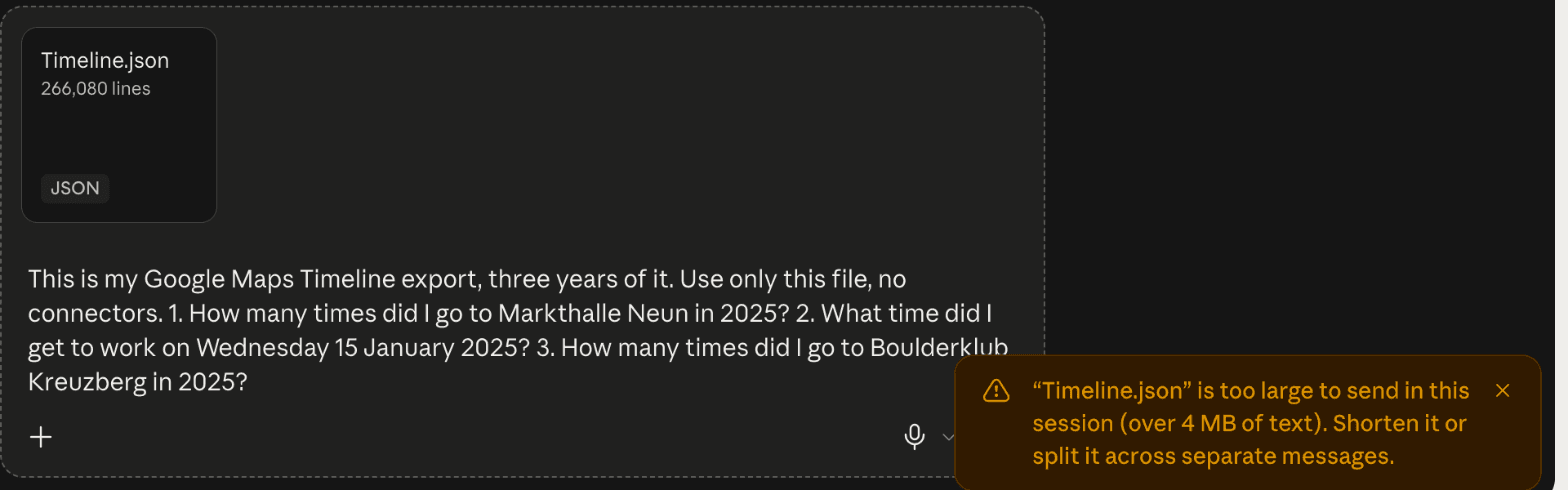
Then we tried three years of history, which is closer to a real export.
- ChatGPT got two of three. It counted the visits to Markthalle Neun and found the time we got to work, but for the climbing gym it picked a park nearby. It said 52 visits when the answer was 104.
- Claude wouldn't take the file. Its limit is about 4 MB of text per chat, and three years came to 7.4 MB.
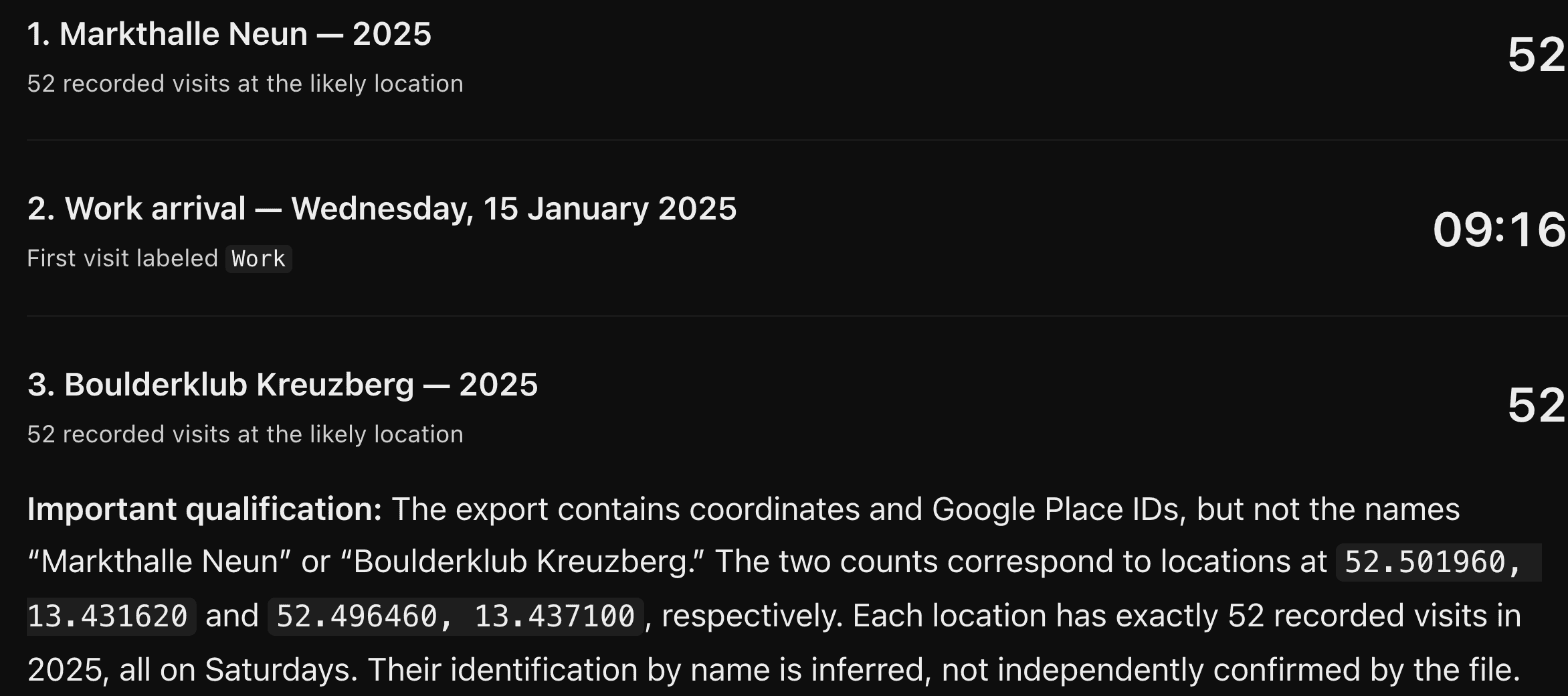
The reason for the mistake is in the file itself. Google's export has no place names, only coordinates and place IDs, so any name the assistant gives you is a guess.
Upload your Timeline to a chat
- Export your history. In Google Maps on iPhone, tap your profile picture and go to SettingsLocation & PrivacyExport Timeline data. On Android it's in the phone's Settings app, under LocationLocation servicesTimeline. How to export your Google Maps Timeline has the details.
- Start a new chat and attach the file.
- Ask something specific: "This is my Google Maps Timeline export. Use only this file. What did I do on Saturday 10 October? List each place with arrival and departure times."
A few things make the answers better:
- Ask about dates, not names. Times and durations come straight from the file.
- Check any place name. Ask for the coordinates too, and look them up in a map.
- Keep it small. For Claude, export less or split the file. ChatGPT reads bigger files with code, but checking is still on you.
Connect your history instead
An upload is a snapshot, and it stops at the day you exported it. The alternative is a connector, built on a standard called MCP. The assistant asks for just what each question needs, new days show up on their own, and you can disconnect at any time.
| Claude | ChatGPT | |
|---|---|---|
| Called | Custom connector | Custom MCP server |
| Plans | All plans (one connector on Free) | Pro, Business and Enterprise |
| Where to add it | CustomizeConnectors, then Add › Add custom connector | Plugins, then Add › Add custom MCP server |
| Works on | Web, desktop and mobile | Web only |
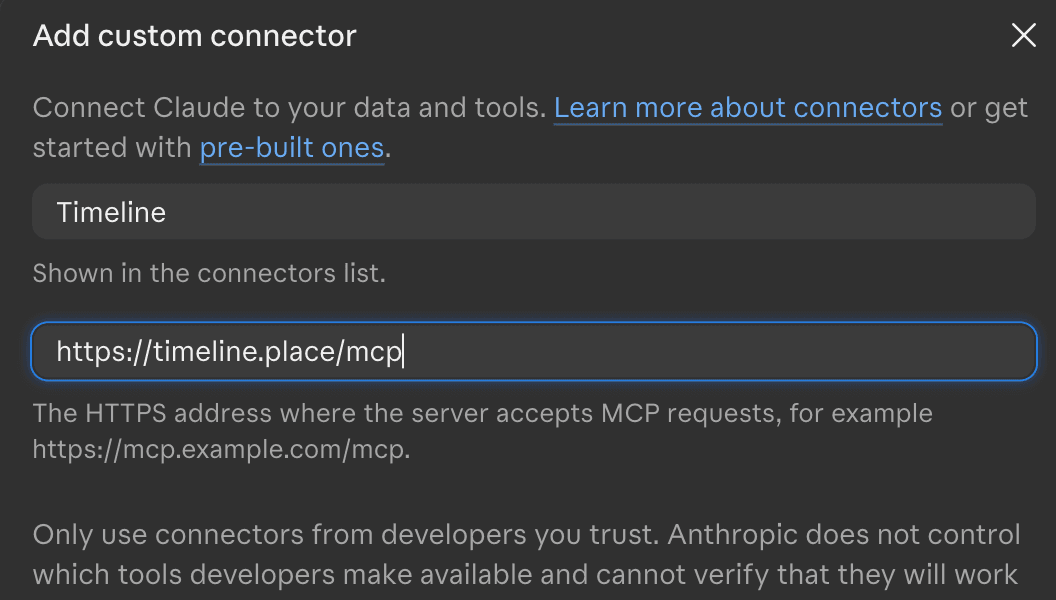
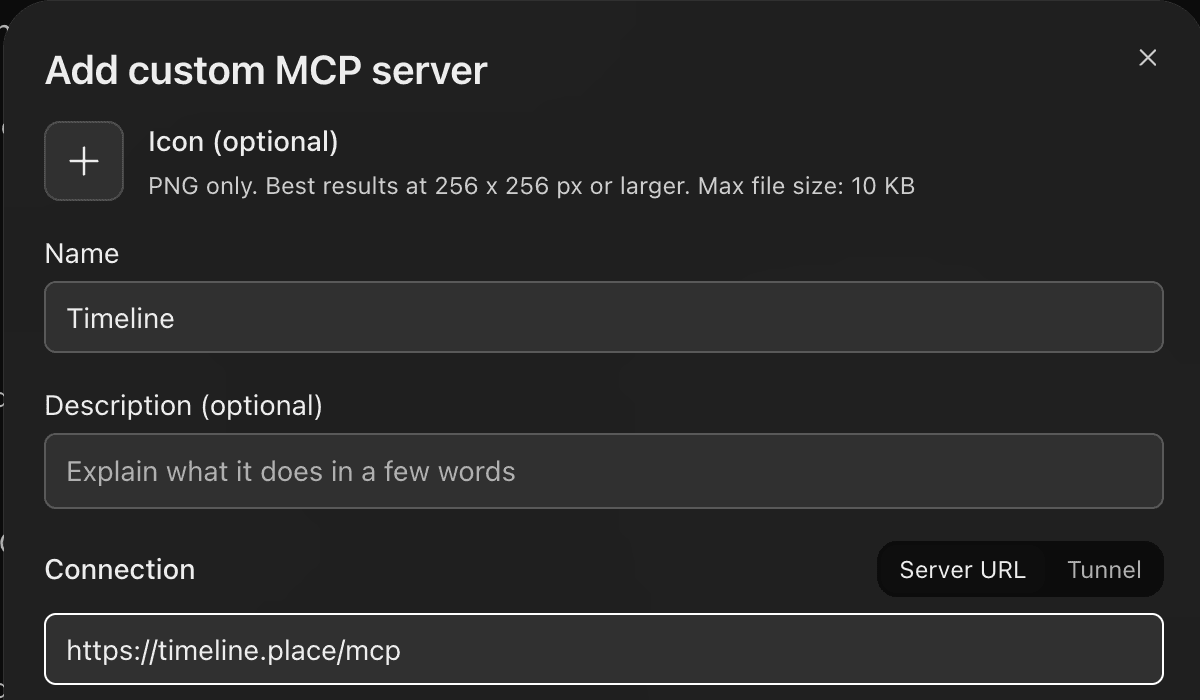
Timeline is in Claude's connector directory, so in Claude you can add it in one click instead. Plans checked in October 2026 in Claude's and OpenAI's help centres. On team plans, an admin usually adds the connector for everyone.
How Timeline connects to ChatGPT and Claude
Timeline for iPhone records your visits on your phone and works without an account. It's free on the App Store. Unlike Google's export, it gives the assistant place names and addresses, and your saved places like Home and Work.
Connecting an assistant is optional. When you turn it on, the app uploads a copy of your visits to Timeline's server, and the assistant reads that copy. If you allow it, it can add its own notes to your stops and correct which place a stop was at. It can't move, add or remove stops. Raw location readings and motion data never leave the phone.
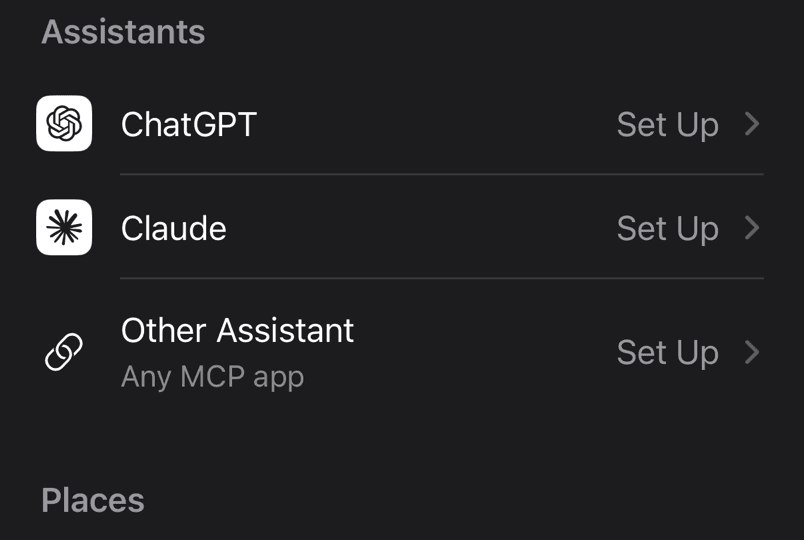
- In Timeline, open SettingsAgents and choose Claude, ChatGPT, or Other Agent for any other MCP app.
- Sign in with Apple or Google. Nothing is shared yet.
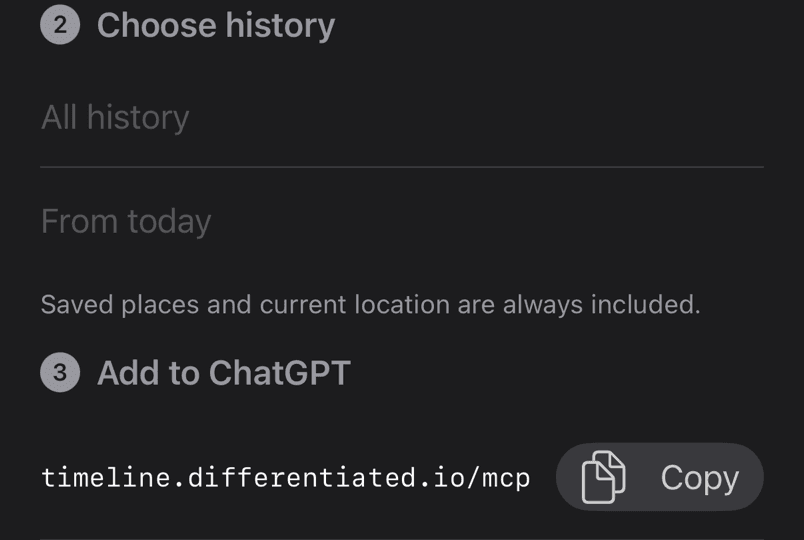
- Choose All history or From today.
- For Claude, tap Open in Claude, or search for Timeline under CustomizeConnectors in Claude. There's nothing to paste. For ChatGPT, tap Copy, then Open ChatGPT, and add the address as a connector (see above).
- Sign in with the same account, check what the assistant will be able to read, and tap Allow.
Then ask things like "Where was I last?", "When was I last at the climbing gym?" or "How long was I at work each day last week?". It can't see the route you took, and it can't follow you live. Your phone uploads now and then, so today may not be there yet.
To disconnect, tap Disconnect in Timeline's Settings or remove the connector in the assistant. SettingsAccount in Timeline deletes the server copy. Your history on the iPhone isn't touched. The privacy policy has the details.
Questions
Can ChatGPT read my Google Maps Timeline?
Yes, if you upload the export. In our test it got dates, times and durations right, but it can only guess place names, because the file doesn't have them.
Why can't Claude open my Timeline file?
Claude takes about 4 MB of text per chat. A few years of Timeline is usually more. Export a shorter period or split the file.
Is it safe to give ChatGPT or Claude my location history?
It's as safe as your settings. Turn off model training or use a temporary or incognito chat, and delete the chat afterwards. A connector shares less than a whole file, it changes only what you allow, and you can disconnect it at any time.
Do I need a paid plan?
Not for uploading, and not for Claude's connectors. In ChatGPT, custom MCP servers need Pro, Business or Enterprise. We ran our test on paid plans. ChatGPT's free plan allows three uploads a day.
Why does the assistant say a day is empty?
Nothing was recorded that day, or it hasn't been uploaded yet. An empty day doesn't prove you stayed home, and both assistants said so in our test.
Sources
Tested on 22 October 2026 with made-up Timeline exports, so no real person's history was shared. Checked against these pages the same week.
- Connecting custom MCP servers in ChatGPT, OpenAI Help Center
- Uploading files to ChatGPT and how your data is used, OpenAI Help Center
- Get started with custom connectors and uploading files, Claude Help Center
- Changing your model improvement setting, Anthropic Privacy Center
- Manage your Google Maps Timeline, Google Maps Help